首先,wxml代碼:
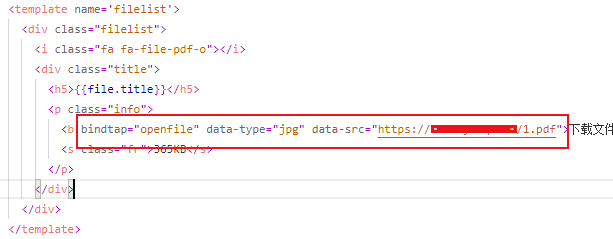
<b bindtap="openfile" data-type="jpg" data-src="https://www.sy-dq.com/1.pdf">下載文件<i class="fa fa-download">i>b>
綁定js函數(shù),并注意 type 和 src參數(shù)。
然后,js函數(shù)openfile如下:
//打開文件函數(shù)
  openfile: function (e) {
    var ftype = e.currentTarget.dataset.type;   //獲取文件類型
    var fsrc = e.currentTarget.dataset.src;   //獲取文件地址
    if (fsrc == "") {
      wx.showToast({
        title: '文件地址錯誤',
        icon: 'none',
        mask: true,
        duration: 2000
      })
      return false;
    }
    // 檢查文件格式是否不正確
    let fileIndex = fsrc.lastIndexOf('.')
    let substrName = fsrc.substr(fileIndex)
    let formatImg = /.(doc|docx|xls|xlsx|ppt|pptx|pdf|jpg|png|gif|jpeg)$/i  // 定義正則
    // 驗證格式
    if(!formatImg.test(substrName)){
      wx.showToast({
        title: '不支持的文件格式',
        icon: 'none',
        mask: true,
        duration: 2000
      })
      return false;
    }
    wx.downloadFile({
      url: fsrc,
      success: function (res) {
        const filePath = res.tempFilePath;
        console.log('本地文件地址:'+filePath);
        wx.openDocument({
          filePath: filePath,
          success: function (res) {
            console.log('打開文檔成功')
          }
        })
      }
    })
}評論
發(fā)表

 蘇公網(wǎng)安備32058502011596號